Share a report link, compile flagged items into a corrections list, and publish corrections back to the applicant.
17. Share Results or Generate Corrections
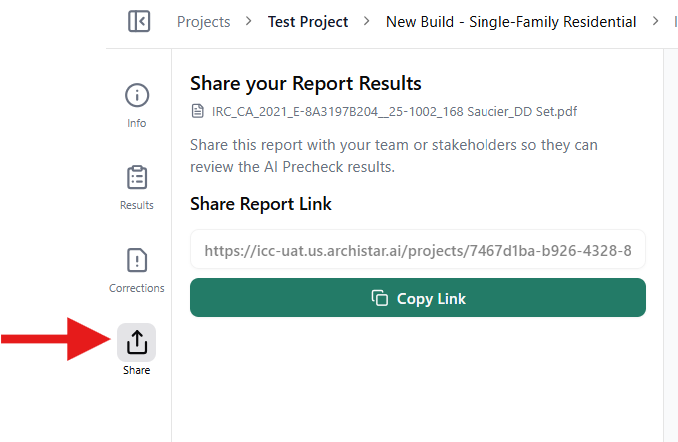
Section titled “17. Share Results or Generate Corrections”Once the review is complete, applicants can use the Share tab to copy a unique report link and send it to the city or other stakeholders.
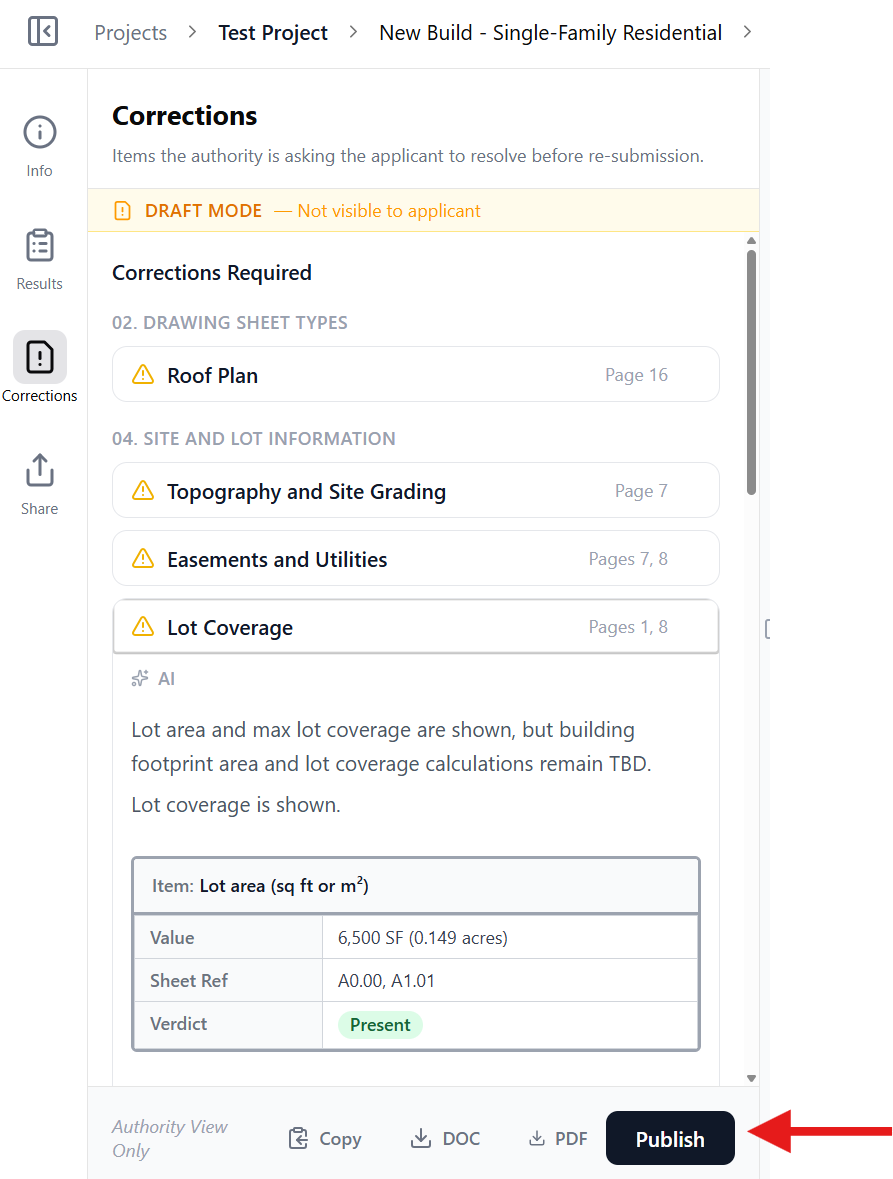
For city reviewers, the Corrections tab can be used to compile all flagged items into a single corrections list. Corrections can then be:
-
Exported as a PDF or Word (DOC) corrections letter
-
Shared using a link
-
Published back to the applicant for response and updates.
The Corrections tab will only activate if additional comments are made via the app.
Corrections
Section titled “Corrections”The Corrections tab allows city reviewers to manage items requiring updates before re-submission.
Flagged checks are grouped by section and linked to the relevant drawing pages. Corrections can be copied, exported as DOC or PDF, or published directly to the applicant.
While in Draft Mode, corrections are only visible to the authority.
Click Publish to share them with the applicant.